ZCode
Z.ai desktop ADE/ZCode Agent; not unrelated ZCode CLI projects.
Manual setup
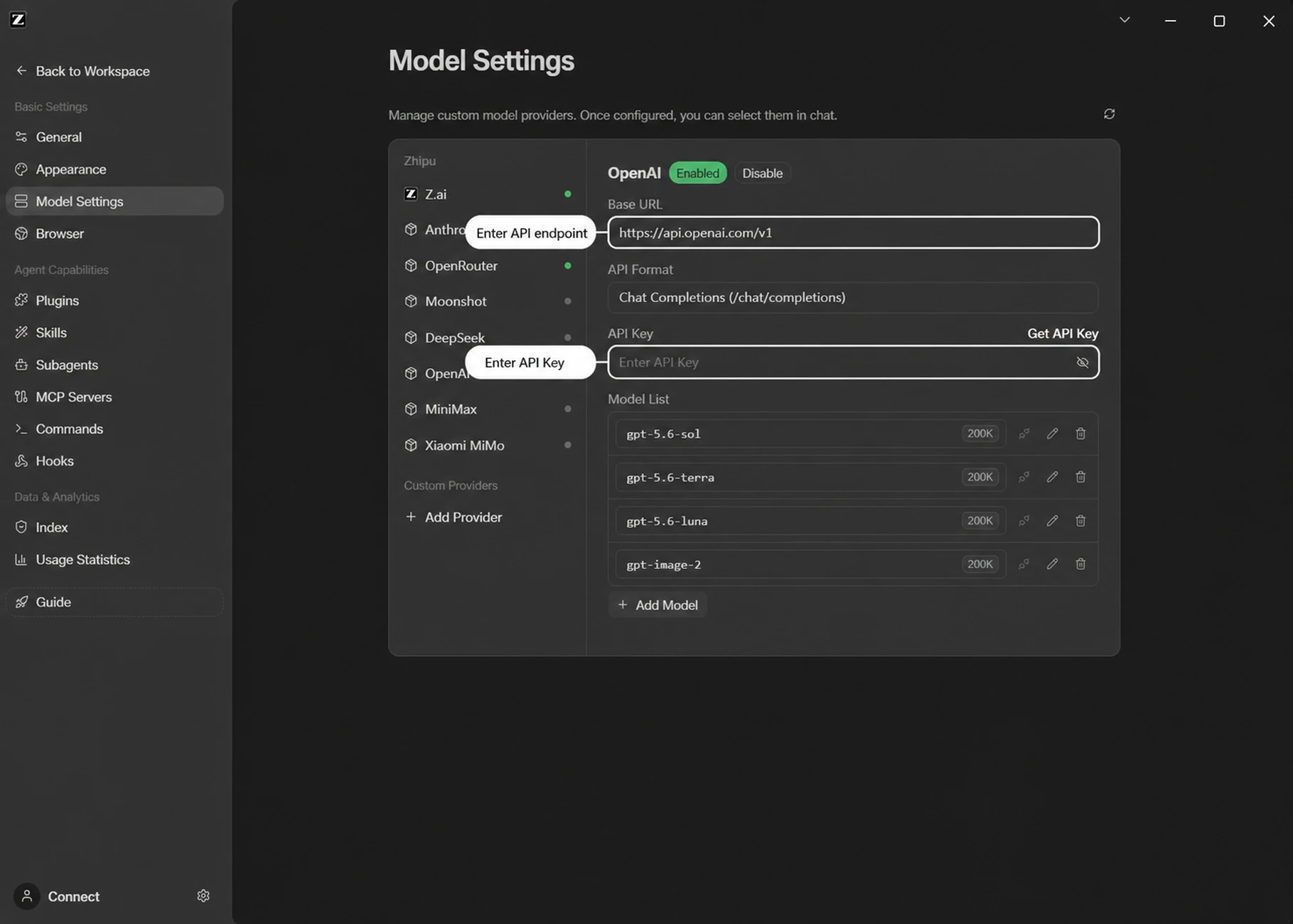
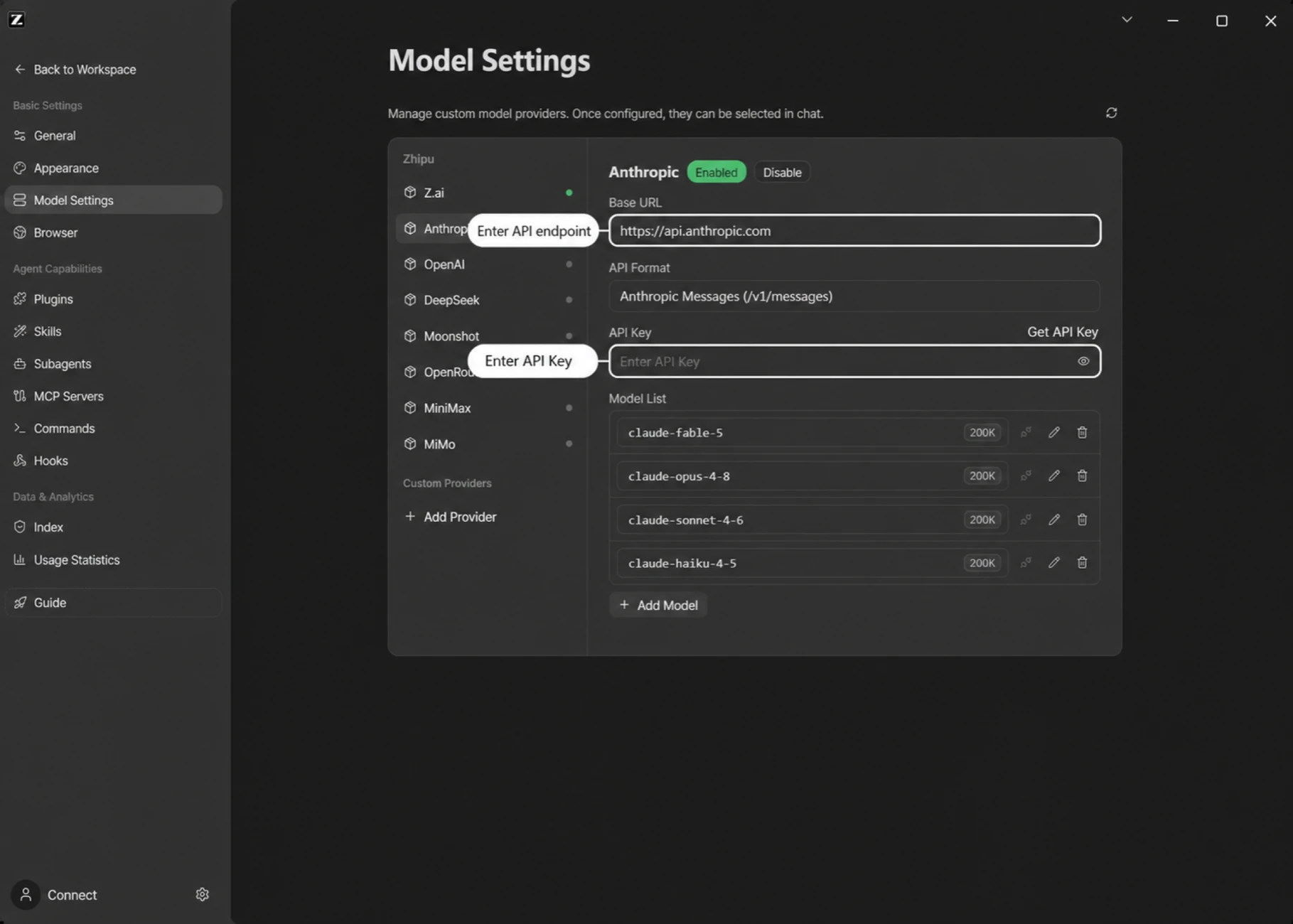
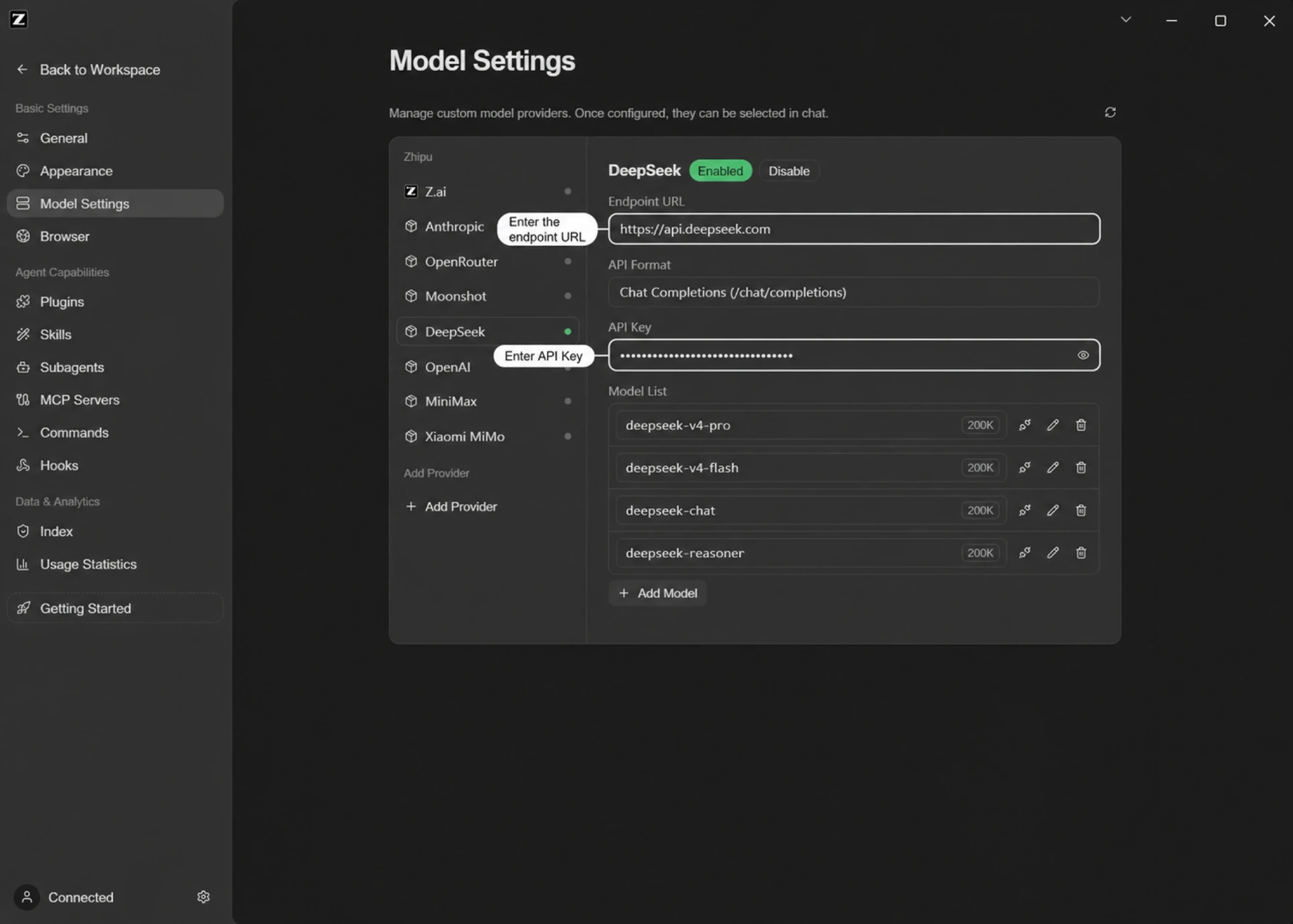
1. Open ZCode > model selector > Manage Models, or Use API Key at welcome. In Model Settings choose Add Provider and preserve other accounts/providers.
2. Create Zrelay Claude: Base URL https://api.zrelay.net, API Format Anthropic Messages, Add Model claude-sonnet-5-5. Enter the key yourself in API Key. In Advanced set Max output tokens: 4096. Save, enable the provider and select the model.
3. Grok alternative: a separate Zrelay Grok provider, Base URL https://api.zrelay.net/v1, Chat Completions, grok-4.7-latest, Max output tokens 4096. Claude is listed in Flex/Prime and this Grok example in Flex. Match the key provider/pool.
4. Inspect the nonsecret fields and model selection without starting a task. Official screenshots establish the intended suffixes /v1/messages and /chat/completions; they are not a captured runtime request.
Configuration and commands
Use the exact fields in the manual above in the client’s supported settings UI. This client has no file-based recipe here; preserve existing connections and enter the key locally.
Alternative: ask an AI assistant
Copy this complete prompt into your coding assistant. It describes configuration work; installation and paid tests need your authorization.
Configure Z.ai's ZCode desktop application to use Zrelay. Detect my OS and installed ZCode version; do not confuse it with unrelated ZCode CLI projects. Read https://zcode.z.ai/en/docs/configuration and its official screenshots, https://zcode.z.ai/en/docs/qa, and https://keys.zrelay.net/api/catalog.

Preserve existing accounts, providers and settings. Use the documented Model Settings UI and add a separate provider. Default recipe: name Zrelay Claude, Anthropic Messages format, base URL https://api.zrelay.net, model claude-sonnet-5-5, maximum output 4096. Confirm that the current catalog still enables that model on my selected pool and that my key has matching access; otherwise ask me to select an eligible model. The resulting endpoint must be /v1/messages, with no duplicated /v1. For Grok, use a separate Chat Completions provider at https://api.zrelay.net/v1 and an eligible catalog model.

Have me enter my key directly into the local API Key field. Never request, reveal, log, or copy credentials into chat. Do not assume shell environment variables configure the desktop app. Do not invent JSON schema or Responses support. If direct UI access is unavailable, provide exact manual steps. Validate saved nonsecret settings without inference. Request explicit consent before installing software or making any paid request. Report what was configured, checked, and remains untested.
Limits and verification
No primary-source Responses recipe was established. Shell variables do not automatically configure the app; do not invent interpolation, JSON schema or encrypted storage. Input/output limits are 128000/4096. Streaming and tool loops remain untested.
These recipes were reviewed against documentation and public catalog data. No client installation, authenticated request, paid inference, streaming or tool loop was executed. Validate configuration first; a later short text test does not establish complete agent compatibility.
Recheck the live catalog and your key’s provider/pool. The reviewed examples have 128000 input and 4096 output maxima unless a client limitation above prevents controlling the request. Never print, log or commit credentials.
Official sources
Documentation checked 2026-11-09; mutable sources can differ from your installed version.
https://zcode.z.ai/en/docs/configuration
https://keys.zrelay.net/api/catalog
https://zcode.z.ai/en/docs/install
https://zcode.z.ai/content/docs/v2/screenshots/apikey-openai-20260728-en.webp
https://zcode.z.ai/content/docs/v2/screenshots/apikey-anthropic-20260728-en.webp
https://zcode.z.ai/content/docs/v2/screenshots/apikey-custom-deepseek-20260728-en.webp
Questions about your integration? support@zrelay.net